“Congratulations, You’re Infrastructure: AirTags, Sidewalk, and the Price of ‘Free’ Privacy”

You are now part of a global communications network… and nobody offered you stock options.

In a previous post, we talked about Apple AirTags and the “Find My” mesh network – that magical trick where a tiny coin-sized device can be located halfway across town, even though it has no GPS and barely any battery.

That magic works because your phone (and everyone else’s phone) is quietly doing radio reconnaissance duty in the background. Congratulations: you’re infrastructure.


Wait… how did I become a tracking tower?

Here’s the short version of how the Apple “Find My” style networks work:

  • Your iPhone (or Mac, or iPad) periodically listens for tiny Bluetooth beacons from nearby Apple devices and accessories (like AirTags).
  • When it hears one, it encrypts and forwards that beacon plus its own location to Apple’s servers.
  • The owner of that AirTag can then open an app and see where their tag was last seen.

It’s clever, efficient, and in many cases genuinely helpful: lost keys, stolen bags, runaway luggage… all easier to find.

The part that gives people pause is this: millions of people are participating in this network without ever consciously saying, “Yes, I want to be a node in a global tracking grid.” It’s buried in settings and terms of service most humans will never read.


Amazon Sidewalk: your sidewalk, Amazon’s backhaul

Apple is not alone in the “crowd-sourced connectivity” business. Amazon has Sidewalk, a shared low-bandwidth network that uses compatible devices (like Echo speakers and some Ring cameras) to extend connectivity to low-power gadgets nearby.

In simple terms:

  • Your Echo or Ring device can share a tiny slice of your internet bandwidth.
  • Low-power devices (like certain sensors, trackers, or lights) can hop onto that shared network.
  • Those devices can stay connected even when they’re outside normal Wi-Fi range.

Again, this is smart engineering. Sidewalk can help keep your smart lights or sensors connected at the edge of your property. It can help trackers report in from the driveway, mailbox, or street.

The catch is familiar: by default, many users found themselves “in” before they understood what they were in.


The hidden pattern: we keep building “secret” subscriber networks

AirTags and Sidewalk are just the easy, brand-name examples. The same basic pattern is showing up everywhere:

  • Bluetooth trackers of all brands
  • Smartphones that constantly scan for devices and networks
  • Smart TVs, cars, doorbells, and appliances phoning home
  • Apps that aggregate location, motion, and behavior data

Individually, each product solves a legitimate use case: find my stuff, monitor my home, track my delivery, optimize my commute. Collectively, they form a planet-scale sensor grid that data aggregators and analytics vendors absolutely adore.

Privacy isn’t exactly “dead.” It’s just become a tradable commodity. Companies buy and sell insights about people, places, and devices the way we used to buy weather reports and mailing lists.


“But they said it’s anonymous…”

You will often hear phrases like:

  • “We only use aggregated, anonymized data.”
  • “We don’t know who you are.”
  • “We never sell your personal information.” (but they might sell information about your behavior)

To be fair, many engineers and product teams are genuinely trying to do the right thing and protect users. There are strong encryption schemes, privacy controls, and safety features in play.

However, the business model is simple:

  • The more sensors and devices in the field, the richer the data.
  • The richer the data, the more valuable the analytics.
  • The more valuable the analytics, the more incentive there is to collect just a little bit more.

No villains required. No partisan politics required. Just basic economics.

Privacy is no longer a default setting. It’s a configuration option… hidden three menus deep.


So what exactly are they collecting?

Every ecosystem is different, but a few common themes show up across these systems:

  • Location data – where devices are, where they’ve been, and how often they move.
  • Proximity data – which devices tend to be near which other devices (great for building graphs of “who is near what, when”).
  • Usage patterns – when devices are active, which features get used, and how often.
  • Network data – signal strength, connectivity, and environmental conditions.

On their own, many of these data points are harmless. In aggregate, they can paint remarkably detailed pictures of real-world behavior. That’s why data aggregators, advertisers, and analytics vendors are so eager to buy, blend, and resell them.


What you can actually do about it (without moving to a cave)

This is the part where most posts say “delete everything and live in a cabin.” Practical, that is not.

Instead, treat your participation like a set of dials you can adjust:

  1. Check your device network sharing settings.
    On Apple devices, look at your “Find My” and related location settings. On Amazon devices, review your Sidewalk options. Decide whether you’re comfortable being part of these networks and adjust accordingly.
  2. Decide where the tradeoff is worth it.
    If AirTags help you sleep at night when you travel, you might keep that ecosystem on and tighten others. You don’t have to say yes or no to everything. Pick your battles.
  3. Limit “mystery apps” and unnecessary permissions.
    An app that needs your location “always” probably doesn’t need it always. An app that wants access to everything may not deserve access to anything.
  4. Remember: if you’re not paying, you’re probably inventory.
    “Free” services are rarely free. They are subsidized by your time, your attention, and increasingly, your data exhaust. That doesn’t mean you shouldn’t use them – just use them with eyes open.

Engineers built it. Business models keep it alive.

From an engineering perspective, these systems are genuinely impressive. Turning billions of phones, speakers, cameras, and trackers into a cohesive sensor network is a marvel of radio design, cloud architecture, and edge computing.

From a business perspective, it’s a gold mine of insights about the physical world.

From a human perspective, it’s a reminder that we’ve quietly crossed a line: we are no longer just “users” of technology – we are part of the infrastructure that makes it valuable.

You don’t need to be paranoid. But you do need to be intentional.

Go take a look at your settings. See which hidden networks your gadgets have signed you up for. Dial them in to match your comfort level.

If you’re going to be part of a global sensor grid, you should at least know what you’re charging for rent.


DrVoIP – Where IT meets AI — in the cloud.

You’re Part of a Billion-Node IoT Network… and Nobody Asked You?

Your iPhone is quietly powering a global tracking network

That’s not a sci-fi teaser, that’s how Apple AirTags actually work.

On the surface, an AirTag looks simple: a little white button with no visible antenna, no GPS module, and a battery that lasts for months. Yet somehow it can tell you where your keys, bags, or luggage are, even when they’re halfway around the world.

So what’s really going on here?


AirTags Don’t Phone Home by Themselves

AirTags are not tiny GPS satellites. They don’t have cellular radios. They’re not talking directly to space.

Instead, they use a very clever trick:

  • Each AirTag emits a low-power Bluetooth signal.
  • Any nearby Apple device (iPhone, iPad, Mac) that’s part of Apple’s Find My ecosystem can quietly “hear” that signal.
  • That Apple device then sends the AirTag’s encrypted location data up to Apple’s cloud.
  • You open the Find My app and see where your AirTag is on the map.

The magic is not in the tag itself. The magic is in the billions of Apple devices already in people’s hands, pockets, backpacks, and briefcases.


You Are the Network

Here’s the real fun (and slightly unsettling) fact:

Every compatible Apple device around you is quietly participating in a global, crowdsourced sensor network. Your iPhone might be helping some stranger find their lost backpack at the airport, even if you’ve never owned an AirTag in your life.

This is possible because:

  • Apple has huge device density in most cities and airports.
  • Each device only needs to send tiny bits of encrypted location data.
  • The user doesn’t have to “join” a program – the capability ships in the operating system.

The result is a billion-node IoT network that Apple didn’t have to deploy as new hardware. It was built on top of devices people were already buying anyway.


Brilliant… and a Little Spooky

From an engineering and network design perspective, this is a beautiful pattern:

  • Leverage existing endpoints (phones, tablets, laptops).
  • Use low-energy local radios (Bluetooth) instead of expensive GPS/cellular in every tag.
  • Let the cloud do the heavy lifting for aggregation and “find my stuff” intelligence.

From a privacy and security perspective, it naturally raises questions:

  • How much of my device is participating in networks I didn’t explicitly sign up for?
  • What else could be built on top of this kind of mesh?
  • Where is the line between “clever use of infrastructure” and “silent exploitation of it”?

To Apple’s credit, the system is designed to be encrypted and anonymous. The idea is that your phone doesn’t know whose AirTag it just heard, and Apple doesn’t reveal who’s relaying what. But architecturally, it still shows just how powerful it is when a vendor controls both the devices and the cloud.


What This Means for IoT and the Rest of Us

If you think about it, the AirTag model is a preview of where a lot of IoT is headed:

  • Crowdsourced coverage: Use devices people already own, rather than deploying new towers or gateways everywhere.
  • Edge + cloud cooperation: Tiny, simple devices at the edge; heavy lifting, storage, and analytics in the cloud.
  • Invisible participation: The “network” is baked into the platforms and operating systems we use every day.

For business and technology architects, this raises some interesting design questions:

  • Where could you leverage existing devices or platforms, instead of building your own network from scratch?
  • How do you balance convenience and capability with transparency and consent?
  • And how do you explain all of this to non-technical stakeholders in a way that builds trust rather than fear?

So Yes… You’re in the Network

Next time you see “Find My” locate an AirTag on the other side of the airport, remember:

  • That little tag isn’t doing it alone.
  • Your devices – and everyone else’s – are quietly part of the story.

Whether you find that exciting, unsettling, or a bit of both, it’s a perfect example of how modern cloud, mobile, and IoT architectures really work under the hood.

And if you’re building customer experiences, contact centers, or IoT-style applications, this is the kind of architecture pattern that’s worth understanding – and maybe borrowing.

The Inevitable Shift: AI, Jobs, and Business Survival

By DrVoIP — Where IT Meets AI in the Cloud

🧠 The Inevitable Shift: AI, Jobs, and Business Survival

Every major technology shift follows a familiar pattern: disruption, resistance, and redesign. Artificial Intelligence and robotics are accelerating that cycle. Productivity is rising while roles are being rewritten, and it’s happening faster than most organizations can adapt.

This isn’t political—it’s practical. Once automation compounds, there’s no turning back the clock. The real question is: how do we adapt?


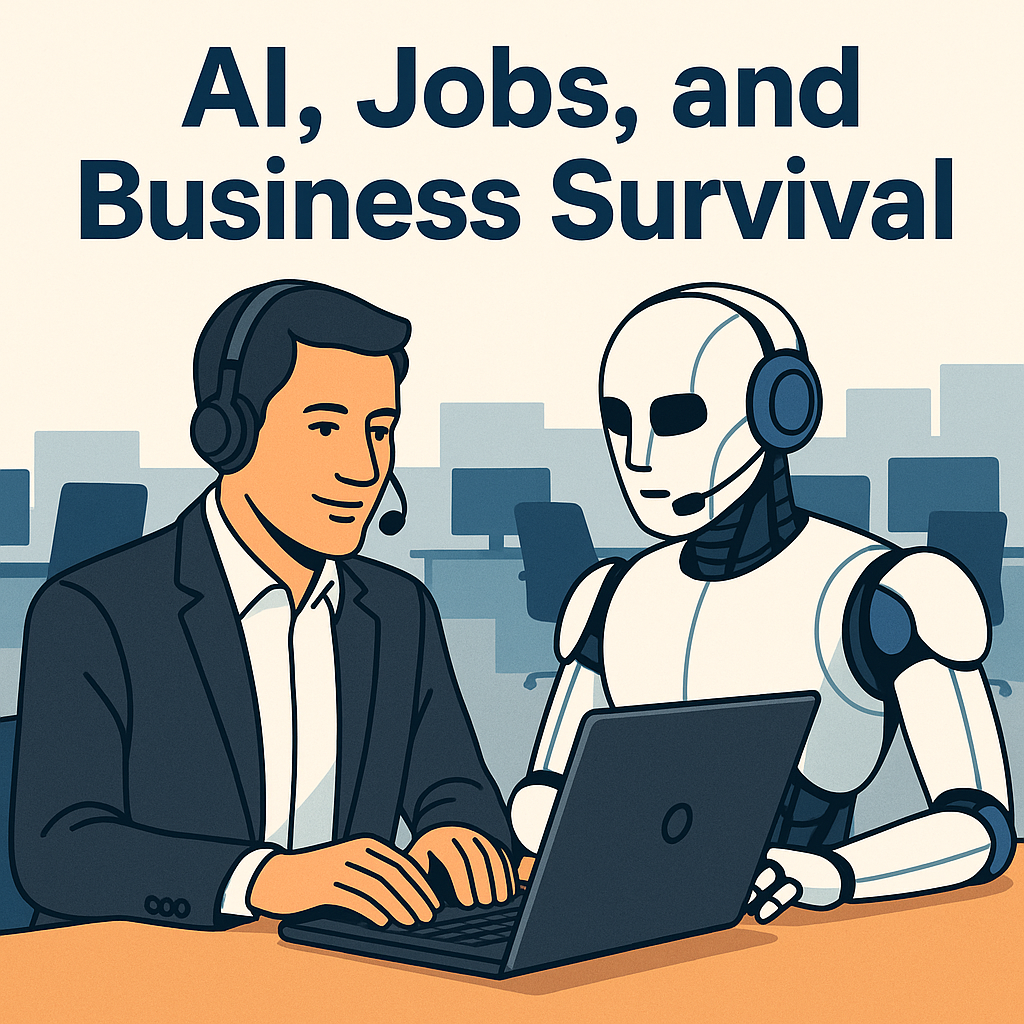
Cartoon of a contact center agent collaborating with a friendly AI robot at a laptop
AI and humans working side by side to elevate customer experience.

The Contact Center: Ground Zero for Change

Nowhere is this transformation more visible than in the modern contact center. For years, teams tried to balance efficiency with empathy. AI is changing the equation.

  • Amazon Q helps agents surface the best answer instantly.
  • Lex chatbots resolve common requests before they reach a live agent.
  • Bedrock Knowledge Bases keep bots and humans aligned to current policies, pricing, and procedures.

The result isn’t fewer agents—it’s freed agents, focused on complex conversations and relationships that drive loyalty and revenue.

From Job Loss to Job Lift

The fear of job loss is real, but the smarter narrative is job lift. As AI takes over repetitive tasks, teams can move up the value chain.

  • Agents evolve into AI orchestration specialists who manage digital + human workflows.
  • Supervisors shift from monitoring handle time to coaching customer outcomes.
  • Operations invests in journey design, data quality, and knowledge governance.

Responsible AI Is a Leadership Mandate

The debate is no longer whether to use AI—it’s how to use it responsibly.

  • Transparency: Be clear about where and how AI is assisting.
  • Retraining: Fund programs that help employees move up the value chain.
  • Governance: Maintain tight control over data sources and knowledge freshness.

Organizations that invest in responsible automation will not just survive—they’ll lead the next decade of growth.

Final Thoughts

AI isn’t the enemy of workers—it’s the next step in how we deliver value. The winners embrace automation as augmentation, not replacement.

If you’re ready to explore how Amazon Connect, Lex, Bedrock, and Q can modernize your customer experience, let’s talk.

📩 Email: Grace@DrVoIP.com
🔗 Website: DrVoIP.com
🎥 YouTube: @DrVoIP


About DrVoIP

DrVoIP helps organizations deploy AI-powered customer experience on AWS—fast. From Q for Connect and Lex chatbots to Bedrock Knowledge Bases and real-time analytics, we build practical automations that scale.


AI in Amazon Connect: How Bedrock, Lex, and SageMaker Work Together

Artificial Intelligence (AI) is transforming customer service — but figuring out how it actually fits into Amazon Connect can feel like drinking from a firehose. If you’ve heard about Amazon Bedrock, Lex, and SageMaker, and wondered which one you need (and when), this guide breaks it down in plain English.


🚀 The Big Picture: Smarter Contact Centers

Today’s contact centers are getting a serious AI upgrade. Instead of static IVR menus (“Press 1 for Sales”), companies are rolling out virtual agents that can answer customer questions, find information, and even summarize conversations for live agents.

Amazon Connect now offers multiple ways to build these smart assistants:

  • Amazon Lex – the conversational interface (your bot’s “voice” or “chat”).
  • Amazon Bedrock – access to powerful Large Language Models (LLMs) like Anthropic Claude or Amazon Titan.
  • Amazon SageMaker – the build-your-own lab for advanced machine learning models.
  • Amazon Q – a new generative AI assistant that plugs directly into Connect.

💡 When to Use Bedrock with a Knowledge Base

If your goal is to give customers or agents access to your company’s existing knowledge — like product FAQs, documentation, or policy manuals — then Bedrock with a Knowledge Base is your best friend.

This approach uses a technique called Retrieval-Augmented Generation (RAG). In simple terms, it means the AI doesn’t “make up” answers — it finds the relevant content in your data (from S3, SharePoint, Confluence, etc.) and uses that to respond accurately.

Example: a Lex bot built with Bedrock can answer questions like “What’s your return policy?” by pulling the answer straight from your latest documents, without anyone coding that response.

Why it works:

  • No need to train or fine-tune anything.
  • Updates automatically when you add new documents.
  • Secure – your data stays in AWS.
  • Low cost – you pay only for what you use.

🔬 When to Use SageMaker (Train Your Own Model)

On the other hand, Amazon SageMaker comes into play when you need something truly custom — like predicting call outcomes, detecting fraud, or creating a model that understands your company’s specific tone or workflow.

For instance, DoorDash uses a SageMaker model to detect fraud risk during customer claims, working alongside an Amazon Q bot that gathers call information. SageMaker models can also handle specialized tasks like classifying customer sentiment or summarizing long call transcripts.

Why it works:

  • Full control over how your model learns and behaves.
  • Ideal for predictive analytics or deep domain expertise.
  • Perfect for compliance-sensitive environments where you must control the model environment.

But: it’s more work. You’ll need data science skills, ongoing maintenance, and enough traffic to justify training costs.


⚖️ Quick Comparison

Feature Bedrock + Knowledge Base Custom Model (SageMaker)
Setup Plug-and-play, no training needed Full ML pipeline setup
Updates Auto-syncs with new data Requires retraining
Cost Pay-per-use Pay for compute time + hosting
Best For FAQs, self-service bots, knowledge lookup Predictions, analytics, custom use cases
Maintenance Low – managed by AWS High – you manage everything

🏗️ Recommended Architecture: Hybrid Wins

The smartest approach for most organizations? A hybrid strategy:

  1. Use Lex (or Amazon Q) with Bedrock Knowledge Base to handle FAQs, basic troubleshooting, and natural conversations.
  2. Let Bedrock access your private data using RAG to keep responses factual and up-to-date.
  3. When you need specialized tasks (like fraud scoring or call summarization), integrate SageMaker models via Lambda into your Connect flows.
  4. If the bot can’t resolve the issue, hand it off to a live agent — along with the AI-generated conversation summary.

This way, you combine the flexibility of managed AI with the power of custom intelligence — a true “AI assist” for both customers and agents.


🎯 The Bottom Line

For most Amazon Connect deployments, start simple: use Bedrock and Lex (or Amazon Q) with a Knowledge Base to create an intelligent, self-updating FAQ or customer assistant. Once you’re ready for advanced automation — like predictive scoring or call analytics — bring SageMaker into the mix.

Either way, the goal is the same: make every customer interaction faster, smarter, and more human.


💬 Need Help Bringing AI to Your Amazon Connect?

DrVoIP can help design and deploy AI-powered contact centers that combine the best of AWS — Connect, Lex, Bedrock, and SageMaker — to fit your business goals.

📧 Contact us at grace@drvoip.com or visit DrVoIP.com to get started.


Amazon Connect Campaign Dialer: Why Clean Lists Mean More Connections

Amazon Connect Campaign Dialer: Why Clean Lists Mean More Connections

The Hidden Challenge Behind Every Dialer Deployment

When organizations launch Amazon Connect V2 Campaign Dialer, the excitement is all about automation, scalability, and speed. But here’s the quiet truth our DrVoIP engineers have learned: the biggest obstacle to a successful campaign isn’t the dialer — it’s the list hygiene.

Most outbound lists are stitched together from CRMs, help desks, and third-party data brokers. Before you know it, your “target audience” includes duplicates, missing data, and invalid numbers. Bad lists lead to failed calls, frustrated agents, and compliance headaches. Clean lists lead to productivity, precision, and profit.

Data Hygiene Is Not a One-Time Event

Keeping your campaign lists clean isn’t something you do once — it’s an ongoing process. It mirrors the machine learning lifecycle: collect, clean, validate, and repeat. Yet this critical task often lands on the IT team instead of the call center management where it belongs.

That’s why DrVoIP has been exploring AWS tools to automate and simplify this workflow. Our goal: let your team focus on connecting with customers, not cleaning CSV files.

Testing the Tools: From SageMaker Data Wrangler to Glue DataBrew

We first tried AWS SageMaker Data Wrangler — a world-class solution for preparing large datasets used in machine learning. It worked beautifully but was too expensive and too complex for everyday dialer list management.

Then we discovered AWS Glue DataBrew — a cost-effective, no-code tool for cleaning, normalizing, and validating data stored in Amazon S3. Think of it as a “data washing machine” that removes duplicates, fixes missing information, and standardizes phone numbers to the required E.164 format.

Essential Steps for Campaign List Hygiene

Regardless of which AWS tool you use, these hygiene steps should always happen before uploading a list into your Campaign Dialer:

  • Normalize Phone Numbers: Convert all numbers to E.164 format (+1 for US, etc.) to avoid rejection or failed calls.
  • Validate Every Number: Use Amazon Pinpoint’s phone number validation API to confirm if a number is valid and identify whether it’s mobile, landline, or VoIP.
  • Scrub Against DNC Lists: Stay compliant by checking both national and internal Do-Not-Call registries. Pinpoint or your third-party DNC provider can help here.
  • Infer Time Zones: Campaign Dialer can determine a contact’s time zone from their address or phone number — if that data is accurate. Validate and fill missing fields.
  • Encrypt and Protect Data: Always store contact data in encrypted S3 buckets with AWS KMS for compliance and security.

How It All Fits Together

At DrVoIP, we’ve built a simple, repeatable architecture that keeps list hygiene both affordable and automated:

Amazon S3 (Raw List)Glue DataBrew (clean & format) → Lambda Function (Pinpoint validation & filtering) → DNC ScrubAmazon S3 (Cleaned List)Amazon Connect Campaign Dialer.

This keeps costs low, reduces manual labor, and ensures every dialable number in your list is verified, compliant, and ready for use.

The DrVoIP Bottom Line

For machine learning projects, SageMaker Data Wrangler is a great fit. But for day-to-day Amazon Connect V2 campaigns, Glue DataBrew + Lambda + Pinpoint delivers the perfect balance of cost, simplicity, and scalability. It’s a practical solution that keeps your campaigns compliant and your agents productive.

In short, clean lists create confident dialing — and confident dialing drives conversions. Treat list hygiene as your competitive advantage, not a cleanup chore.


Ready to automate your list hygiene process? Contact Grace@DrVoIP.com and learn how DrVoIP can help you build a data-driven campaign workflow powered by AWS.

Using AI in your Call Center?

Amazon Connect Meets AI

AI in the contact center isn’t new — it just has a new spotlight. Everyone’s talking about “adding AI” as if it were invented last year. The truth is, you’ve probably been using AI for years without realizing it. When your email automatically sorts spam, that’s artificial intelligence quietly doing its job. Not exactly ChatGPT or Grok, but definitely AI in action.

You’ve Already Been Using AI in Amazon Connect

If you’re running your customer engagement on Amazon Connect, you’re already using several AWS AI services without calling them that. For example:

  • Amazon Polly – Converts text to lifelike speech for system prompts and IVR messages.
  • Amazon Transcribe – Converts call recordings into searchable text for compliance and analysis.
  • Amazon Lex – Powers intelligent chatbots that understand and respond using Natural Language Processing (NLP).

These foundational tools are the AI engines that have been enhancing contact centers long before the hype cycle began.

Generative AI Takes the Agent Experience to the Next Level

With Amazon Q in Connect, agents now have a generative AI-powered assistant at their fingertips. Q delivers real-time guidance, next-best actions, and even step-by-step workflows customized to each customer interaction. After the call ends, it automatically generates contact summaries—cutting down After Contact Work (ACW) from minutes to seconds.

This shift doesn’t replace agents—it empowers them to spend more time solving real customer problems and less time clicking through systems.

From Chatbots to Knowledge Bots

At DrVoIP, we help design and implement next-generation contact centers that extend agent capability with intelligent knowledge systems. Using Amazon Bedrock, we can train and connect foundation models like ChatGPT, Anthropic Claude, Meta Llama, or Nova to your company’s own data sources. That means both bots and agents can instantly access your unique knowledge base—product details, service FAQs, policy documents, and more.

Imagine a chatbot that can check an order status, or an agent that can instantly pull a precise policy answer—all through AI securely integrated with your business systems.

Let’s Build Your AI-Ready Contact Center

As an AWS Certified Partner, DrVoIP specializes in Amazon Connect design, deployment, and ongoing optimization. We bring deep expertise in integrating AI services across AWS—from Lex and Q to Bedrock and beyond—so you can turn your contact center into a true customer experience engine.

AI isn’t the future—it’s already here. The only question is whether your contact center is ready to use it to its full potential.

Ready to see what’s possible? Contact Grace@DrVoIP.com to explore your AI-powered Connect deployment today.

2025 DrVoIP Contact Center Planning Guide!

Rethinking Your Amazon Connect Contact Center: Start with the Experience, Not the Technology

When planning a new Amazon Connect contact center, the temptation is to jump straight into the technology — menus, routing profiles, integrations. But the truth is, great contact centers start with the caller’s journey, not the IVR script.

If your plan is to copy the same call tree you built a decade ago, you’re missing the opportunity to create a modern, frictionless customer experience. Today’s customers expect faster resolutions, smarter routing, and a personal touch — not endless menu options.

That’s where the DrVoIP Amazon Connect Planning Guide comes in. It walks you through the critical questions that must be answered before a single line of code is written or a design spec is handed to the implementation engineers. Questions about:

  • How will calls, chats, and messages be routed based on customer needs?
  • What self-service options make sense — and where should live agents step in?
  • How will you measure success from day one?

As an Amazon Certified Delivery Partner, DrVoIP brings the expertise to turn your vision into a contact center that’s on time, on budget, and delivering the highest customer satisfaction scores.


Want the full Planning Guide? We’re offering the DrVoIP Amazon Connect Planning Guide free of charge.

Just contact Grace@DrVoIP.com, call, or textto get your copy.

Why Your Website and Call Center Should Be Besties: The Amazon Connect Love Story!

Ever feel like your website and call center are two ships passing in the night? One’s all flashy and interactive, the other’s stuck in a queue playing elevator music. Well, buckle up, because integrating them with Amazon Connect is like giving them a matchmaking app – sparks fly, efficiency soars, and your customers? They’re the ones getting the happy ending!

The Perks of Playing Matchmaker

Picture this: A customer lands on your site, browses your killer products, but hits a snag. Instead of rage-quitting to a competitor, they click a chat button and – poof! – instant help. No more “hold please” nightmares. With Amazon Connect, you get:

  • Seamless Chat Integration: Start with text-based chit-chat right on your site. It’s like whispering sweet nothings to your customers without the awkward small talk.
  • Escalation Shenanigans: Chat not cutting it? Escalate to voice, video, or even desktop sharing. Imagine screen-sharing a troubleshooting session – it’s like having a virtual IT genie pop out of your browser!
  • AI-Powered Wit: Our AWS Lex bots handle the basics, answering product queries with the charm of a stand-up comedian. “What’s the warranty on that widget?” Boom, answered faster than you can say “human agent.” Only escalate when things get real – saving time, money, and sanity.

The benefits? Happier customers who feel heard (literally), lower abandonment rates, and agents freed up for the tough stuff. It’s not just integration; it’s a full-on bromance between digital and human touchpoints.

How DrVoIP Makes the Magic Happen

At DrVoIP, we’re the wizards behind Amazon Connect deployments. We weave in AWS AI to make your Lex bot smarter than your average bear – or at least smarter than that one uncle who thinks he’s tech-savvy. From chat to video escalation, we ensure your setup is as smooth as a well-oiled meme machine. No more siloed systems; everything chats, calls, and collaborates like they’re at a family reunion (minus the drama).

Wrap It Up: Don’t Leave Your Site Hanging

Integrating your website with your call center via Amazon Connect isn’t just smart – it’s hilarious how much easier life gets. Customers get help without the hassle, your team avoids burnout, and your bottom line? It does a happy dance. Ready to play cupid? Demo by clicking the chat icon below or Hit us up at DrVoIP.com – we’ll connect the dots (and the calls)!

Amazon Connect Pick a Caller from Queue?

Would You Let Agents “Cherry Pick” Callers from the Queue?

Not everyone agrees with the idea—but in some situations, allowing agents to “cherry pick” callers can save time and improve the customer experience.

By default, Amazon Connect routes callers to the next available agent. It does not ring all agents simultaneously, and it certainly doesn’t allow agents to choose who they want to speak with.

But what if they could?

A Real-World Use Case

Imagine you’re a technician supporting a customer base using your company’s High-Tech Shiny Gadget. Most callers aren’t very technical. You do your best to walk them through a solution, but sometimes, they need to go back and do “homework”—check which cable is plugged in, see which light is blinking, etc.

They hang up, go do the homework, and call back. But now they’re speaking with a different technician, who has to start from scratch—even if you’re using Amazon Connect Cases or another ticket system.

This is inefficient. It frustrates the customer and wastes valuable technical support time.

Enter “Cherry Picking”

What if the original technician could see that the customer is calling back and simply pluck them from the queue? No rerouting, no retelling the story—just seamless, contextual support.

While you might have a way to route calls by extension number, most contact centers aren’t set up that way. That’s where cherry picking comes in.

Watch the Demo

In the video below (Part 9 of our Amazon Connect 2025 Refresh Series), we walk through:

  • How to configure cherry picking in Amazon Connect
  • What resources are required
  • Key recommendations and potential pitfalls
  • A full demonstration of the solution in action

If you’re curious how this could work in your call center—or you want help building it—contact us at DrVoIP.

Campaign Dialer History and the Current State of the Art in Amazon Connect

A Brief History

Amazon Connect was introduced in 2017 as a revolutionary, cloud-native contact center solution from AWS. That same year, DrVoIP installed its first Amazon Connect instance for a paying client. Having decades of experience building call center solutions with platforms like Cisco, we had developed a clear set of expectations for what a modern contact center should offer.

Initially, Amazon Connect lacked a native campaign dialer, a core requirement for outbound calling environments like telemarketing. This gap limited its early adoption in outbound-heavy verticals. While third-party integrations existed, our goal was to deliver a one-vendor solution built entirely on AWS.

Building with StartOutboundVoiceContact

In the absence of a native campaign dialer, early adopters had to get creative. The StartOutboundVoiceContact API enabled basic outbound calling, but required architects to develop extensive backend logic using Lambda, DynamoDB, API Gateway, and Connect flows.

DrVoIP built a foundational DIY dialer framework, managing contact lists, pacing logic, retries, and reporting through custom code. It worked—but was resource intensive and fragile under scale.

Third-Party Solutions Fill the Gap

As Amazon Connect gained traction, third-party dialer providers stepped in. Platforms from VoiceFoundry, Xaqt, and others offered robust outbound functionality, but came with additional costs, integration complexity, and vendor management burdens—contrary to AWS’s promise of simplicity and scalability.

The Arrival of Campaign Dialer V1

AWS quietly released Campaign Dialer V1, leveraging Amazon Pinpoint as the backend. It introduced basic campaign capabilities, including email, SMS, and voice. However, it suffered from major limitations:

  • No agent-aware dialing logic.
  • Lack of built-in retry policies.
  • Every contact was pushed to Customer Profiles, bloating CRM databases with unqualified leads.
  • Minimal real-time reporting or call disposition visibility.

V1 was a step forward, but it wasn’t production-grade for enterprise outbound needs.

Campaign Dialer V2: A Mature Offering

Campaign Dialer V2 brought substantial improvements:

  • Integrated directly with Amazon Connect, eliminating reliance on Pinpoint.
  • Introduced progressive dialing tied to agent availability.
  • Allowed custom retry logic and contact attribute handling.
  • Accepted CSV and API-based campaign data ingestion.
  • Empowered dynamic screen pops and routing via contact flows.

Despite these advancements, challenges remain:

  • Limited out-of-the-box analytics.
  • Inflexible call recording controls.
  • No native lead scoring or prioritization tools.

The Road Ahead: Event-Driven and AI-Powered Campaigns

We anticipate a future where outbound engagement in Amazon Connect is:

  • Event-triggered using Amazon EventBridge.
  • AI-enhanced via Amazon Bedrock or SageMaker.
  • Dynamically paced based on real-time Connect Streams API data.
  • Seamlessly integrated with Lex bots and CRM systems.

Why DrVoIP?

At DrVoIP LLC, we’ve led the evolution of Amazon Connect since day one. As an AWS Partner focused exclusively on contact center innovation, we:

  • Deliver on time, on budget deployments.
  • Maintain top-tier customer satisfaction scores.
  • Specialize in outbound campaigns, AI integrations, and real-time analytics.

Let’s build your next-gen contact center together.

📞 www.drvoip.com
📧 contactcenter@drvoip.com