
How we first used EC2!
As a long time Contact Center custom software integration and scripting consultants, we long ago learned to use AWS if we want to get our projects completed on schedule and get paid! Most scripting work in ShoreTel or CISCO Call Centers will typically involve using an external database. During the requirements discovery we would highlight that we needed a SQL server, OBDC connector, Active Directory Credentials and database testing maintenance windows. The IT folks would then go into the vaudeville act of outlining the procurement and setup process and all the other project killing goodies that were housed across the server team, security and of the growing backlog in other projects. Given that we typically don’t get paid until the solution is up and running, we would run with a different approach. We can spin up an Amazon Machine Instance running a marketplace LAMP server and have everything we need to get busy with our Call Center Integration project in about 15 minutes! When the IT team finally catches up, we can just move our finished project to their stuff. This often cuts weeks, if not months out of our project deployments. Yea we love AWS!
Enter AWS Contact Center: Connect!
Someone sent me an email that said “we are all going to lose our jobs if Jeff gets his way” which included a link to a youtube video on AWS Connect. I watched the very short video and did what any AWS deployment freak would do, I logged in to take a look and try it out! (Most folks don’t know this but you can log into the AWS cloud with your regular book buying login)!
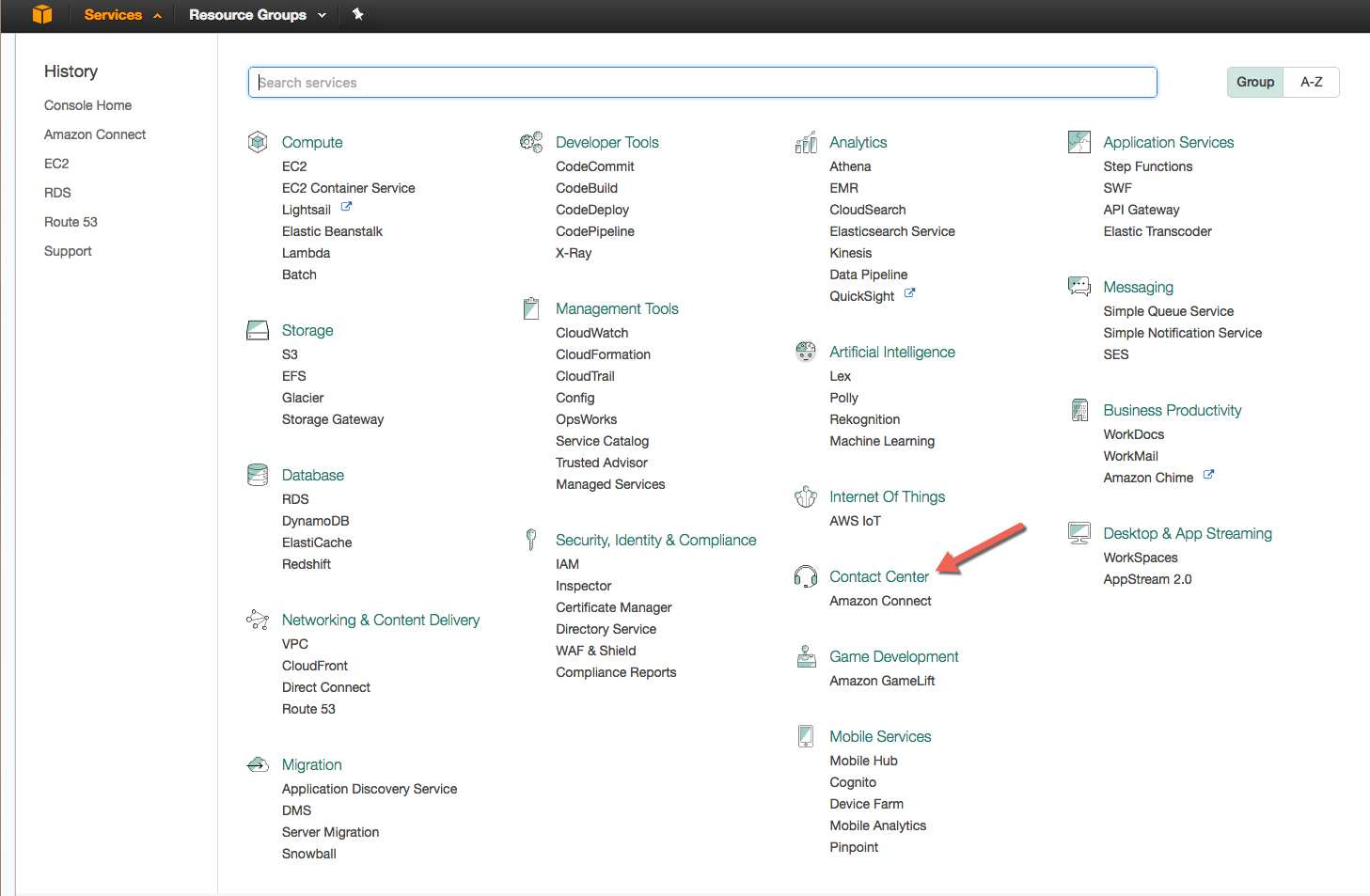
Once logged in to your AWS Management console, selecting Contact Center form the service menu will put you in a setup mode. It took an amazing 15 minutes to setup a completely functional call center, complete with inbound phone number, greeting, screen and routing, queue and agent setup. We actually spent more time figuring out how to get the agent connect to the cloud that it took to setup the Call Center. This because we did not immediately understand how simple this was! We were so busy thinking about how to get a VPN operational that we neglected to note, that we were one click away from bringing up a softphone in our browser! (Engineers overthink everything). The simple fact is that you can in fact bring up a fully functional call center in less time that it takes to fill in your average online credit card payment form!
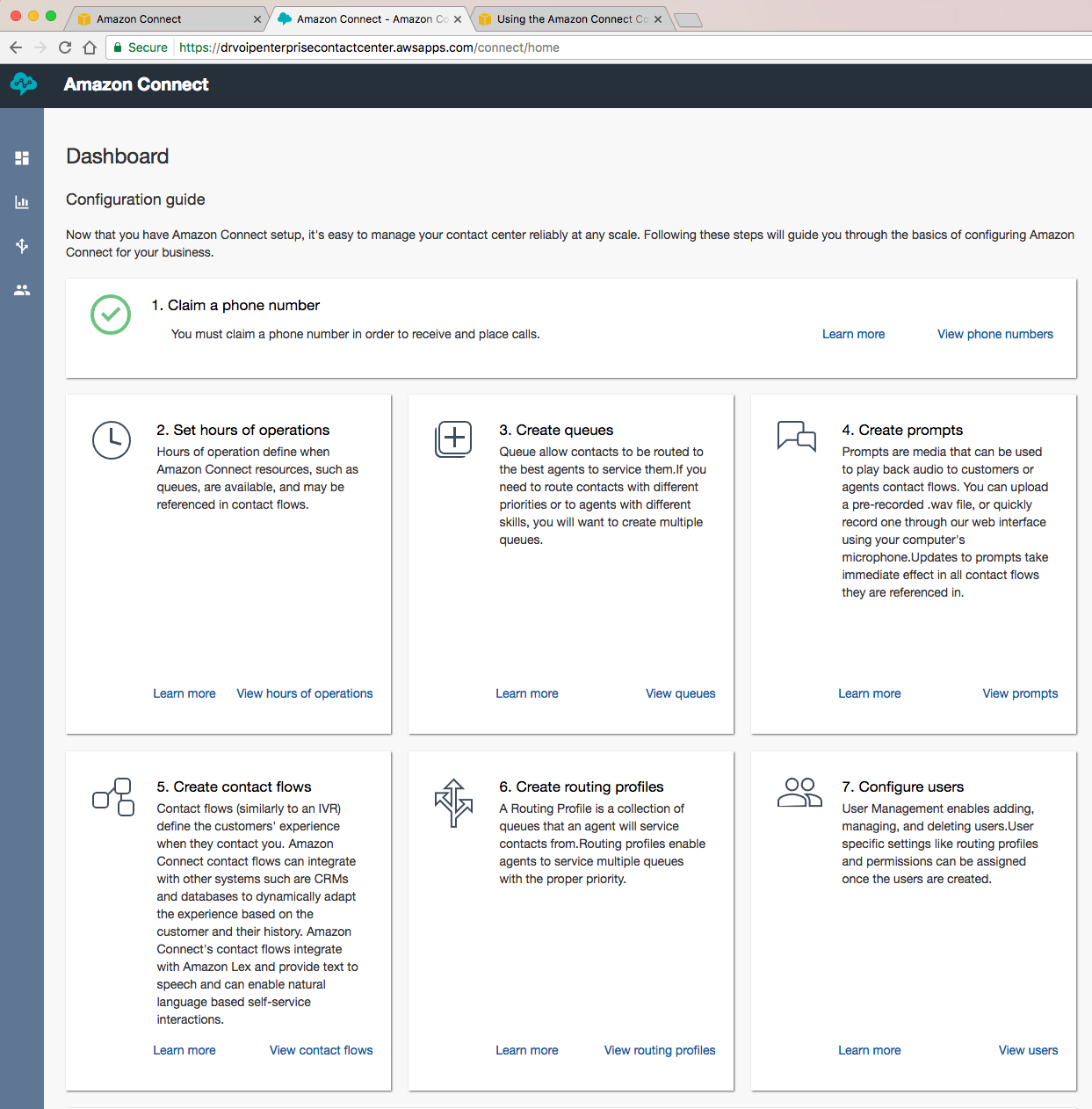
When you first log in as the Call Center Administrator, which is a user you created when you went through your initial setup and is NOT your AWS Root account user, you come to the setup screen. The call center setup process is very straight forward and you are walked through each step with all the online help you need to bring up a base configuration!
Be an Agent in our Call Center – Login and Try it out!
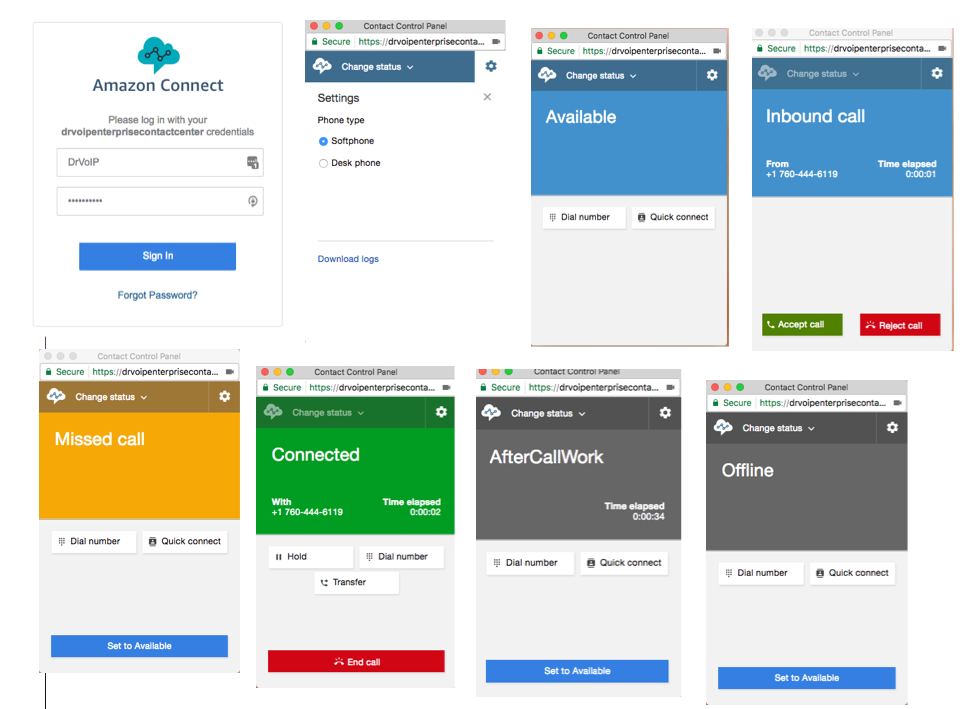
As with all cloud based call center solutions, Agents can log in from anywhere there is an internet connection. You need a computer with a microphone, speakers or have a USB headset. Chrome and Firefox are the best browsers to use as they do not currently support Apple’s Safari. (NOTE – JAN 2017 this demo was discontinued)! We have made it so you can log in and try our initial demo system. Just click this link and log in as an Agent with a Hobbit username of Gandalf, Gollum or Trandull and a password of “CallDrVoIP”. After logging in and making yourself READY, place a test call by dialing into the call center at 703-659-4498. (We will keep the demo up and continue to advance the feature set, so watch this blog for more details).
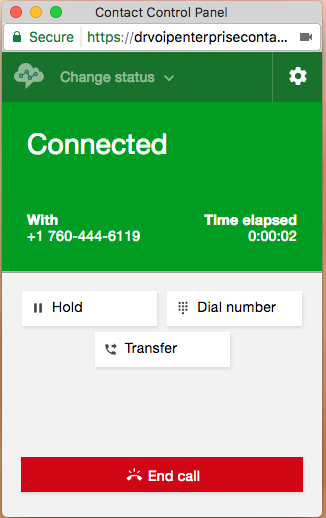
The Agent call management window is not difficult to understand. Log in, make yourself ready and take calls! You can transfer call to another agent, or to an external location. There is the usual “make NOT ready” if your agent neglects to service an inbound call (all reportable) and there is the usual call disposition or “wrap up” options.
FEATURE SET?
The early on criticism was that this is for small unsophisticated call center applications. Not at all true. Keep in mind this is the first release of the product and we assure you it is fully formed and very capable. It has the minimum daily adult requirement for call center functionality. Inbound call management, custom prompts, queue management, agent permissions, outbound dialing and even database integration using serverless technology like AWS Lambda! You can add Amazon Lex for voice conversations! It has a full range of Real Time Monitoring and and Historical reporting tools. We are still exploring features and will continue to provide blog updates on what we have learned, but this is one impressive cloud based call center solution based on any criteria you choose!
The fact of the matter is, the “scripting” and IVR functionality is as good as anything we have worked with of late, and we think we have seen it all! There is a basic set of call flows that you can immediately make use of.
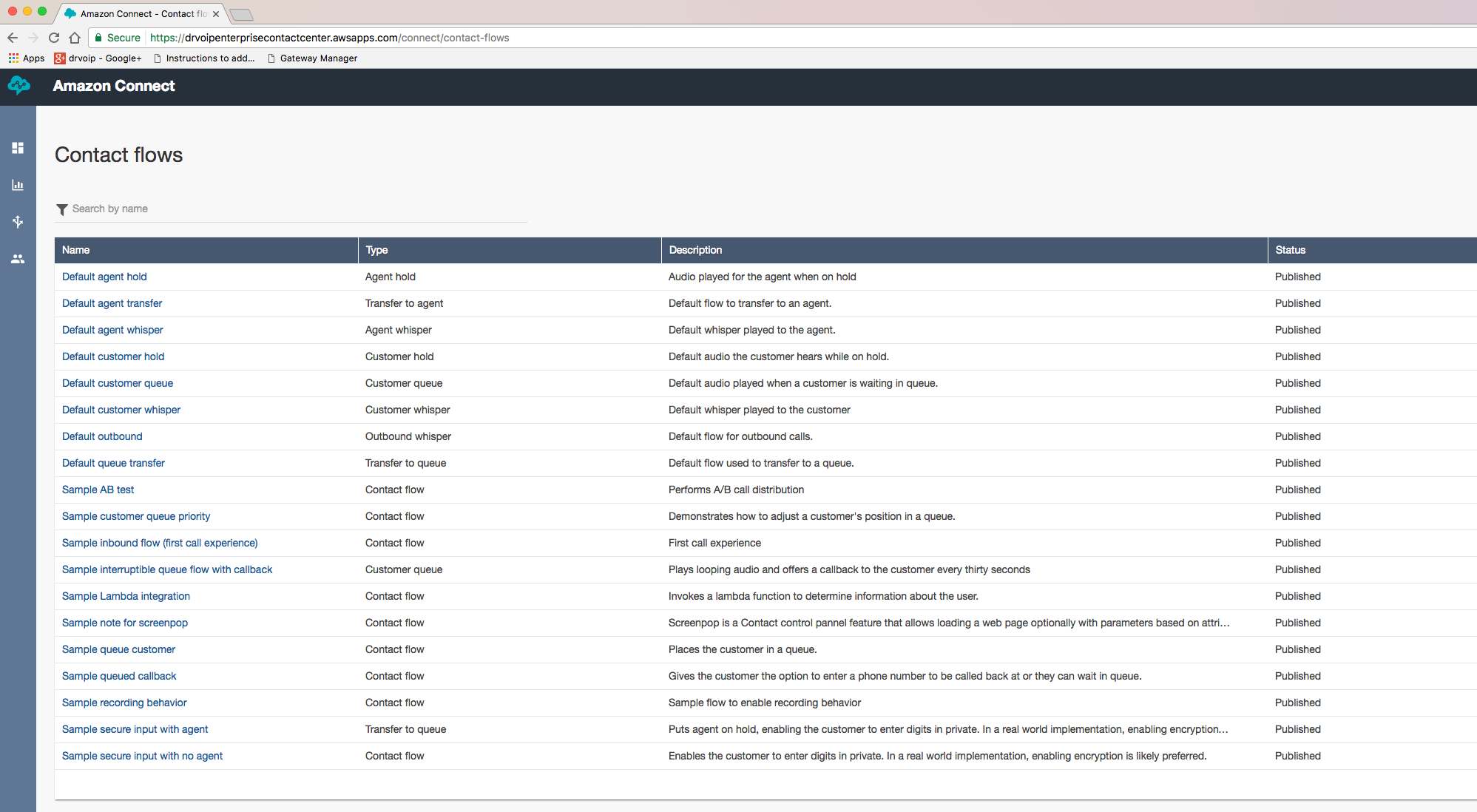
The call flows fit most every normal call center situation from simple Agent routing to Queue options including database dips! You can modify these call flows or create new ones! The IVR is both intuitive and at first glance we don’t find anything missing!
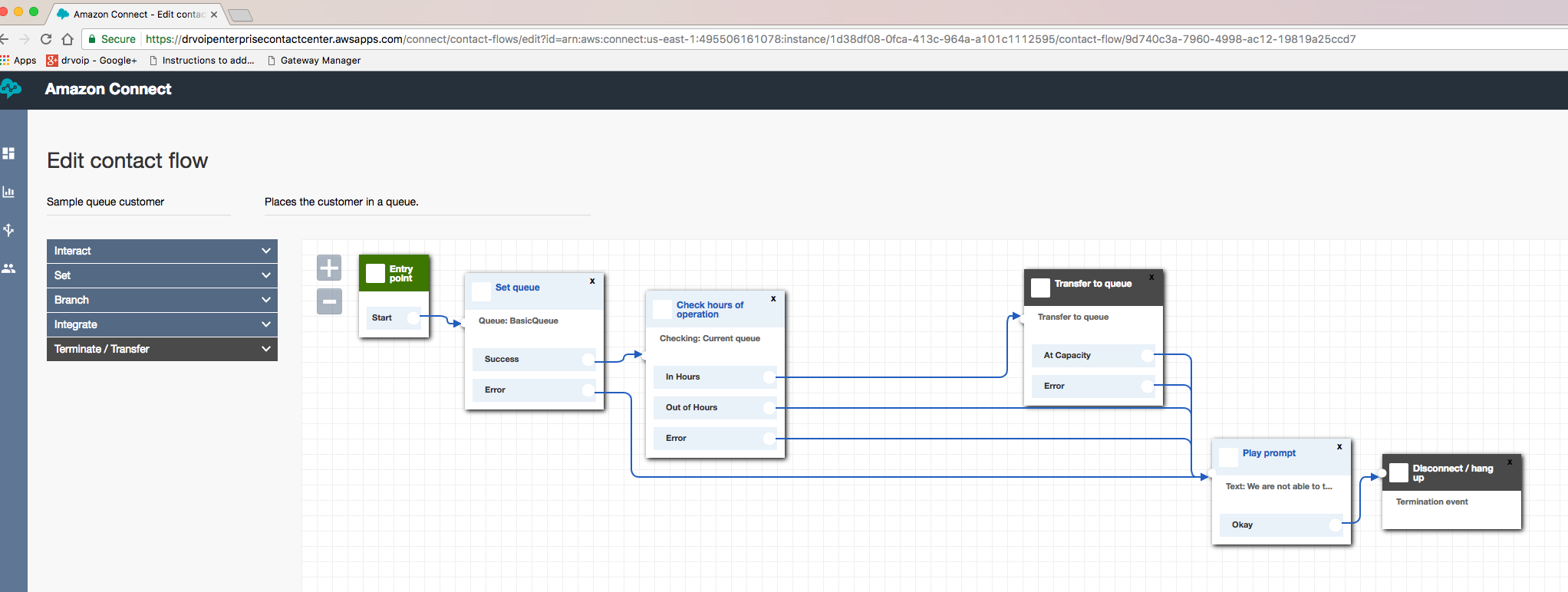
We fully expect that you will ultimately be able to take advantage of all of the existing AWS infrastructure options, including EC2 instances, database, high availability and “serverless” options like Lambda! ( we think the entire concept of “serverless” code is the real “game changer”). You do not have to use a softphone over the internet as there is AWS Direct Connect and VPN options. You can use your local handset if your prefer.
We are sure that this AWS solution is a serious options and certainly the only option for a “rapid deployment” scenario! It is however, going to require some help from the likes of us. You are still going to need network technology, firewall traversal solutions, backup strategies, custom scripting, custom reporting and integration services from AWS Solutions providers like DrVoIP. We think our expertise in Call Centers in general and AWS in particular makes us a natural consulting partner to you future call center plans. Give us a call, we can make it happen! – DrVoIP